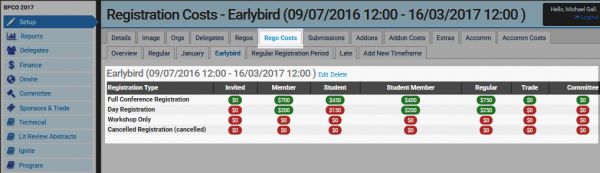
Setting up Event Timeframes
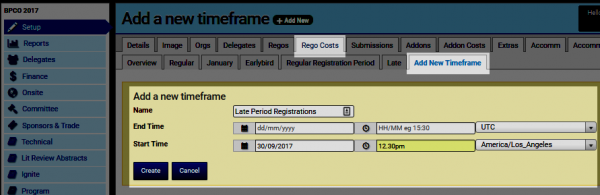
Click open your event's Setup> Rego Costs screen. This will allow you to either set the prices according to any timeframe, add new event timeframes or edit existing timeframes. To add a new timeframe click the Add New Timeframe tab and complete the form. The Start Time marks the beginning of a specific window (eg. Late Period begins on 30/9/2017 at 12.30pm). TIP: Any variations to timeframes must be properly managed to avoid clashes/conflicts across your event's registration 'time windows'. It's now time to set Rego Costs/prices for your Event's Timeframe.