Abstract subcategories
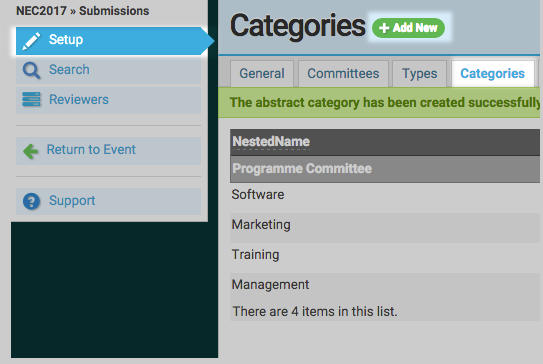
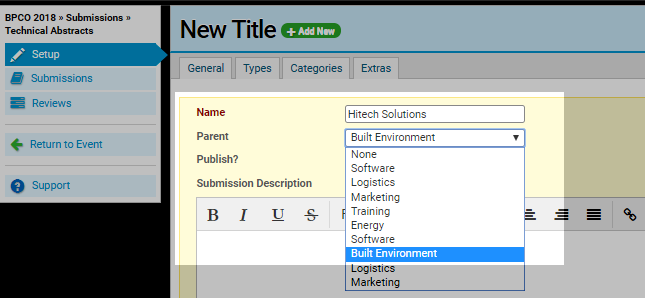
Abstract subcategories can help to organise streams and assist in assigning reviewers. Subcategories are added by the same process as adding a category. Select your chosen abstract stream from the LHS menu, then navigate through >Setup >Categories and click 'Add New'. Create your parent categories and save. Select your chosen abstract stream from the LHS menu, then navigate through >Setup >Categories and click 'Add New'. Create your parent categories and save. Create subcategories by clicking '+Add New' and entering the subcategory name and selecting the parent category from the drop down menu, fill in the remaining information and Save.